# A Hacker Doesn't Care About the FIFA World Cup. They Care About Your Data.
While billions of football fans prepare for the FIFA World Cup 2026, cybercriminals are preparing too.
Not to watch the matches.
Not to support a team.
But to take advantage of distracted internet users.
That's the uncomfortable truth most people don't think about.
## Imagine This...
You're traveling to watch a World Cup match.
You arrive at the airport and connect to free Wi-Fi.
You check your email.
Log into social media.
Open your banking app.
Book transportation to your hotel.
Everything seems normal.
Until one day you receive an alert:
🚨 Suspicious login detected.
🚨 Password changed.
🚨 Unauthorized payment attempted.
Suddenly, your focus shifts from football to damage control.
The scary part?
Most people never see it coming.
## Why Major Events Attract Cybercriminals
The World Cup creates something cybercriminals love:
**Distraction.**
People are busy.
Excited.
Traveling.
Using unfamiliar networks.
Clicking links quickly.
Making online purchases.
Cybercriminals know this.
And they know that distracted users make mistakes.
## The Public Wi-Fi Trap
Free Wi-Fi is everywhere:
✈️ Airports
🏨 Hotels
☕ Cafés
🏟 Stadiums
Most people assume these networks are safe.
Many are not.
Without proper protection, your online activity can become more exposed than you realize.
The risk increases when accessing:
* Banking accounts
* Email accounts
* Social media
* Work systems
* Shopping websites
## The Cost of One Mistake
Many people believe:
"It won't happen to me."
Unfortunately, that's exactly what most victims think before an incident occurs.
A compromised account can mean:
❌ Lost access to important accounts
❌ Stolen personal information
❌ Financial loss
❌ Hours or days spent recovering accounts
❌ Stress and frustration
The worst part?
Most incidents start with a very small mistake.
One click.
One connection.
One unsecured session.
## The Solution Is Simpler Than Most People Think
Cybersecurity doesn't have to be complicated.
A few simple habits dramatically reduce risk:
✅ Use strong passwords
✅ Enable Multi-Factor Authentication
✅ Keep software updated
✅ Avoid suspicious links
✅ Protect your internet connection
One of the easiest ways to add an extra layer of security is by using a trusted VPN.
A VPN encrypts your internet connection, helping protect your online activity—especially when using public Wi-Fi.
## Why I Use SymlexVPN
When I'm traveling, working remotely, or using public networks, I don't want to wonder who might be watching my connection.
That's why I use SymlexVPN.
What I like most:
🔒 Strong encryption
⚡ Fast servers
🌎 Global coverage
📱 Multiple device support
💰 Affordable pricing
It's not about hiding.
It's about protecting what matters.
## Football Is Temporary. Your Data Is Forever.
The FIFA World Cup lasts only a few weeks.
But a stolen password, compromised account, or data breach can affect you for months—or even years.
Before the first whistle blows, take a few minutes to protect yourself.
Because recovering a hacked account is far more difficult than preventing the problem in the first place.
## Special Offer
🎁 Use Promo Code: **AP2010**
🌐 All Plans:
https://symlexvpn.com/price
🏆 Best Value (24 Months):
https://pay.symlexvpn.net/checkout/18691?referral=ZkBU
🚀 Lifetime Package:
https://pay.symlexvpn.net/checkout/19055?referral=ZkBU
## Final Thought
When the World Cup starts, everyone will be watching the players.
Make sure someone isn't watching you.
Stay secure.
Stay private.
Enjoy the game.
Read More
Why Every Traveler Needs a VPN During the FIFA World Cup 2026
The FIFA World Cup is more than a football tournament.
It's a global event that brings together billions of fans from every continent. Whether you're traveling to watch matches, following your favorite team from abroad, or simply keeping up with every goal and highlight, one thing becomes essential:
**A secure internet connection.**
Most fans spend hours online during major tournaments.
Checking scores.
Streaming pre-match analysis.
Booking flights and hotels.
Sharing moments on social media.
Making online payments.
Unfortunately, cybercriminals know this too.
## The Hidden Risks Football Fans Ignore
Imagine you're traveling during the World Cup.
You connect to the airport Wi-Fi to check your flight.
Later, you use hotel Wi-Fi to access your email.
Then you visit a coffee shop and connect to another public network to stream football highlights.
Convenient?
Absolutely.
Safe?
Not always.
Public Wi-Fi networks can expose users to risks such as:
* Data theft
* Account compromise
* Identity fraud
* Malicious network activity
* Privacy tracking
Most people don't realize how vulnerable their data can become on unsecured networks.
## A Simple Solution: Use a VPN
A VPN (Virtual Private Network) encrypts your internet connection.
Instead of sending your data openly, it creates a protected tunnel between your device and the internet.
This helps protect sensitive information from potential threats.
Whether you're:
⚽ Watching football
💼 Working remotely
✈️ Traveling internationally
📱 Using public Wi-Fi
A VPN adds an important layer of digital protection.
## Why SymlexVPN Is Worth Considering
There are many VPNs available today.
What makes SymlexVPN stand out is its balance between affordability, performance, and simplicity.
### Key Benefits
✅ Fast global servers
✅ Easy setup for beginners
✅ Multi-device support
✅ Strong encryption
✅ Reliable performance
✅ Budget-friendly pricing
Whether you're a casual football fan or a frequent traveler, having secure internet access is becoming increasingly important.
## The Cost of Doing Nothing
Most people only think about online security after something goes wrong.
A compromised account.
A stolen password.
A suspicious login notification.
By then, it's already too late.
The smarter approach is prevention.
Football fans prepare everything before a match.
Tickets.
Travel plans.
Food.
Streaming setup.
Why not prepare your internet security too?
## Match Day Checklist
Before kickoff:
✔ Charge your devices
✔ Check the match schedule
✔ Prepare snacks
✔ Secure your internet connection with SymlexVPN
Simple.
Effective.
Smart.
## Exclusive Discount
🎁 Use Promo Code: **AP2010**
🌐 Check All Plans:
[https://symlexvpn.com/price](https://symlexvpn.com/price)
### Popular Plans
🚀 24 Months:
[https://pay.symlexvpn.net/checkout/18691?referral=ZkBU](https://pay.symlexvpn.net/checkout/18691?referral=ZkBU)
🚀 12 Months:
[https://pay.symlexvpn.net/checkout/18690?referral=ZkBU](https://pay.symlexvpn.net/checkout/18690?referral=ZkBU)
🚀 6 Months:
[https://pay.symlexvpn.net/checkout/18689?referral=ZkBU](https://pay.symlexvpn.net/checkout/18689?referral=ZkBU)
🚀 Lifetime Package:
[https://pay.symlexvpn.net/checkout/19055?referral=ZkBU](https://pay.symlexvpn.net/checkout/19055?referral=ZkBU)
---
**Football is unpredictable. Your online security shouldn't be.**
Enjoy every goal, every save, and every unforgettable World Cup moment with confidence.
#FIFAWorldCup #WorldCup2026 #VPN #CyberSecurity #OnlinePrivacy #TravelSecurity #FootballFans #StreamingSecurity #InternetSafety #SymlexVPN #DataProtection #SecureBrowsing #DigitalPrivacy #RemoteWork #TravelTech
Read More
Why I Started Using a VPN Every Day (And Why You Probably Should Too)
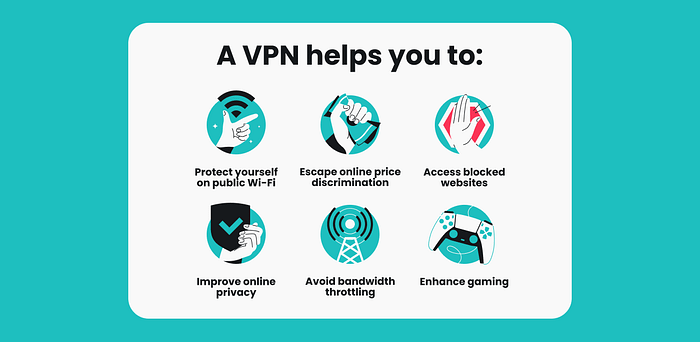
Most people think VPNs are only for tech experts or hackers.
Honestly, I used to think the same.
But after seeing how much personal data gets tracked online — from public Wi-Fi monitoring to websites collecting browsing activity — I realized basic online privacy is no longer optional.
Now I use a VPN daily for 3 simple reasons:
🔒 1. Protect Personal Data
Whether you’re using café Wi-Fi, airport internet, or even your home network, your activity can still be exposed. A VPN encrypts your connection and helps keep your information private.
🌍 2. Browse Without Restrictions
Some websites, apps, and streaming content are limited by region. A VPN lets you access content more freely while staying secure.
🎬 3. Stream & Download Safely
Streaming, gaming, or downloading without protection can expose your IP and slow your experience. A reliable VPN adds an extra layer of safety and stability.
After trying several options, I found Symlex VPN to be simple, fast, and affordable — especially for long-term plans.
👉 Official Pricing: https://symlexvpn.com/price
Use Promo Code: AP2010
Best Deals:
24 Months: https://pay.symlexvpn.net/checkout/18691?referral=ZkBU
12 Months: https://pay.symlexvpn.net/checkout/18690?referral=ZkBU
6 Months: https://pay.symlexvpn.net/checkout/18689?referral=ZkBU
3 Months: https://pay.symlexvpn.net/checkout/18688?referral=ZkBU
Monthly: https://pay.symlexvpn.net/checkout/18687?referral=ZkBU
Lifetime Package: https://pay.symlexvpn.net/checkout/19055?referral=ZkBU
The internet isn’t getting safer.Protecting yourself online should be as normal as locking your front door.
#staysafeonline #protectyourself #securebrowsing #streaming #staysafe #staysecureonline #vpn
|
Top 10 Reasons Symlex VPN is the Most Affordable VPN Service in 2026

Why is Symlex VPN the Most Affordable VPN?
Instead of cutting corners, team Symlex VPN focuses on efficiency, smart pricing, and customer-first policies. It’s not just cheap, it’s genuinely the best affordable VPN service because it balances cost with value. We have published a newsletter on LinkedIn that shows how Symlex VPN is cutting costs, not corners. You can read that and subscribe to more updates on new VPN features, offers, and news!
Why Affordability Matters in VPN Service?
Free VPNs are available, but often come with significant risks—such as data logging, selling user data to third parties, and poor performance. Then, expensive VPNs are overkill for single tasks in daily life. Affordability makes the security benefits of VPN accessible to anyone: students, professionals, or startup organizations! For example— are you streaming Netflix, securing your online banking, or just browsing without being tracked? You need a reliable and affordable VPN service from us! The balance of AES-256 encryption, a no-logs policy, and essential features at a reasonable price for VPN packages. The price and benefits issues are permanently solved by the introduction of affordable VPN by companies like Symlex VPN.
💡 Here’s the Catch:
Many VPNs charge premium rates for features that should be standard. Symlex VPN flips the script by offering premium VPN features
at budget-friendly prices. That’s why it’s often ranked as the best
affordable VPN—because it makes online security accessible to everyone,
not just tech geeks with deep pockets.
10 Reasons Symlex VPN is the Most Affordable VPN in 2026
Reason 1. Budget-friendly Pricing Plans
Flexible pricing plans? Yes— our plans fit every budget. We serve students looking for the best affordable VPN or professionals who need coverage across multiple devices. All the plans are designed to be wallet-friendly. That means there will be no hidden fees, no sneaky upsells. We even introduced a free VPN service that provides you with access to premium servers. You can check the service first, and make a purchase decision later.
Reason 2. Exclusive Lifetime Package
One of the spots where Symlex VPN really shines is its ‘lifetime plan”. We recently had a subscriber who bought the lifetime VPN plan after using the 1-month package twice! Why? The lifetime package is a game-changer. Imagine paying once and enjoying secure browsing forever. That’s why it’s the ultimate deal for anyone who hates recurring subscriptions.
Reason 3. Multiple Device Coverage
Today, everyone relies on phones, computers, TV, smart home systems, and other devices. So, we thought — why pay extra for each device? Connect multiple devices to a single Symlex VPN plan. Each of our plans support up to 5 devices. This makes it the most affordable VPN for families or small businesses.
Reason 4. High Speed without Limitation
Affordable doesn’t mean slow or compromise in quality. Get blazing-fast speeds without bandwidth caps or ISP throttling. All our servers can handle a continuous load of 10 GB/s! Hence, streaming, gaming, or video calls—everything runs smoothly. That’s why it’s often called the best affordable VPN service for streaming. We will tell you how users watch Netflix and Disney+ with SYmlex vpn in the later section! Stay tuned in!
Reason 5. Integrated Premium Features
Symlex VPN doesn’t strip down features to cut costs. You still get premium perks like kill switch, split tunneling, and advanced encryption. It’s proof that an affordable VPN can still be premium. Besides, we are adding extra features frequently to the apps. Need an example?
You do not need to install a separate speedometer to measure the bandwidth passed through the VPN. The Symlex VPN dashboard provides a detailed view of your connection speed and latency.
Reason 6. Money-back Guarantee
Worried about wasting money? Symlex VPN offers a solid money-back guarantee. You do not like our app after your first try —yes, you can leave without question. In this way, we have built trust and shown confidence in their service. It’s another reason why it’s the best affordable VPN.
Reason 7. Uncompromising AES 256 Protection
Security is non-negotiable, my friend! Symlex VPN uses AES 256-bit encryption, considered the gold standard in cybersecurity in 2026. There is the V2ray protocol that keeps you anonymous from cyber criminals and government censorship. The new, obscure OpenVPN can bypass China’s Great Firewall. Even though it’s an affordable VPN service, it doesn’t compromise on protection.
Reason 8. Frequent Special Offers & Discounts
Symlex VPN frequently rolls out VPN discounts and seasonal offers. As a result, the app becomes even more accessible to people who want the best affordable VPN services without breaking the bank.
In February 2026, 4 offers were running for special days, including Chinese New Year, Ramadan, and Valentine’s Day. Users can be notified about offers through their in-app banner, push notifications, email newsletter, website pop-ups, and social media handles. Did you follow us on social media yet? Hurry!
Reason 9. Global Server Coverage
Symlex VPN has 1000+ servers worldwide, giving you access to content from anywhere. Netflix US, Disney+, BBC iPlayer, Kayo Sports: locked out of your region? No problem! Basically, every corner of the streaming universe is unlocked with Symlex VPN. It’s the most affordable VPN with worldwide reach.
Reason 10. Dedicated Live Support
Customer support is often overlooked, but Symlex VPN nails it. Here is 24/7 live support, so you’re never stuck! It means you get help whenever you need it. Custom support agents work by keeping a routine. They can show you or guide you towards a solution to any problem. There are also blogs and videos on the use of Symlex VPN in different situations. Plus, there are introduction guides for each feature of Symlex VPN.
How Does Symlex VPN Make Netflix & Disney+ Affordable?
One sad reality is— streaming platforms are getting pricier every year. But here’s the fun part: Symlex VPN makes Netflix and Disney+ more affordable by unlocking cheaper regional subscriptions. For example, Netflix costs half as much in some countries as it does in the US. We made a list of the cheapest Netflix countries in a blog. By using Symlex VPN, you can subscribe from those regions and save big.
- ➝ Install Symlex VPN.
- ➝ Change location to the cheaper country.
- ➝ Access the platform you need to purchase.
📝 Note: For the ability to provide legit user IP of other locations, people call Symlex VPN the best affordable VPN service for streaming. Imagine paying less for Netflix and still enjoying the same shows. That’s a win-win! More importantly, this is not a violation of law. For example, you need a virtual location of India when you are studying in Canada as an Indian immigrant. That’s how you can use your local payment gateway and pay the price for Netflix India! Others can use dual currency cards. It’s that simple!
How to Make VPN Service Affordable and Cheaper: Tips
If you’re still wondering how to maximize savings, here are some tips:
— Go for Long-term Plans: Monthly subscriptions add up quickly, but annual or lifetime packages save you more. You can take our monthly pack as an example. $7.99/month is a bit higher because server maintenance costs are high for a limited time. But you can buy an annual plan for $3.29/month, as your long-term payments help us keep it affordable.
— Keep an Eye on Discounts: Symlex VPN often runs promotions that make it the most affordable VPN at the time. Think of our recent New Year plans. There was a coupon code, “N50,” that reduced prices by up to 50% on all plans! We have a dedicated web page to track all the discounts. Sometimes, recurring users message us to get personalized discounts! Do you need something for yourself? Contact us and let us know!— Compare Features: Don’t just look at price—make sure you’re getting the best affordable VPN services with strong security and speed. Our app is featureful; you cannot get anything less than the best VPN services available worldwide. Our competitors are NordVPN, Surfshark VPN, and ExpressVPN.
💡 Fun Fact: Imagine bragging to your friends that you got lifetime or yearlong VPN protection for less than the cost of a fancy dinner. That’s how we create plans— affordable, reliable, and unbeatable! No need to check the “best affordable VPN Reddit” threads if you have ever tested our apps from the Play Store and the App Store. Our real users share hacks and deals on our review page to help you save even more!
Recommendation
If you’re tired of overpriced VPNs, Symlex VPN is your answer. It’s not just the best affordable VPN, it’s the best and most affordable VPN that balances cost, speed, and security altogether—all the time! So, if you’re hunting for an affordable VPN service in 2026, stop scrolling and start securing your internet with Symlex VPN. It’s the most affordable VPN that actually delivers what it promises. And honestly, who doesn’t love saving money while staying safe online?
vuejs
|
Dynamic Component Rendering in Vue.js Based on User Selection
Dynamic Component Rendering in Vue.js Based on User Selection
This Vue.js code demonstrates how to dynamically load different components based on a selected category. Below is an explanation of the key parts of the code and why they are used:
<template>
<div>
<!-- Dropdown to select category -->
<select v-model="selectedCategory">
<option
v-for="category in categories"
:key="category"
:value="category">
{{ category }}
</option>
</select>
<!-- Dynamically load the component -->
<component :is="currentComponent"></component>
</div>
</template>
<script>
import Component1 from './Component1.vue';
import Component2 from './Component2.vue';
import Component3 from './Component3.vue';
export default {
components: {
Component1,
Component2,
Component3,
},
data() {
return {
selectedCategory: 'Category 1', // Default selected category
categories: ['Category 1', 'Category 2', 'Category 3'], // List of categories
};
},
computed: {
// Dynamically return the component based on the selected category
currentComponent() {
const mapping = {
'Category 1': 'component1',
'Category 2': 'component2',
'Category 3': 'component3',
};
return mapping[this.selectedCategory] || 'component1'; // Default to Component1
},
},
};
</script>
Template Explanation:
1. Dropdown to Select Category
<select v-model="selectedCategory">
<option
v-for="category in categories"
:key="category"
:value="category">
{{ category }}
</option>
</select>
Purpose:
Provides a dropdown menu that allows the user to select a category.
The v-model="selectedCategory" binds the selected value to the selectedCategory data property.
Why v-for?:
Dynamically generates options from the categories array. Each option displays a category, and :value="category" ensures that the selected value is bound to the selectedCategory property.
2. Dynamic Component Loading
<component :is="currentComponent"></component>
Purpose:
Dynamically renders a Vue component based on the value of the currentComponent computed property.
The :is attribute specifies which component to display. It accepts a string representing the name of the component or a component object.
Script Explanation
1. Data Section
data() {
return {
selectedCategory: 'Category 1', // Default selected category
categories: ['Category 1', 'Category 2', 'Category 3'], // List of categories
};
},
selectedCategory:
Tracks the currently selected category. The default value is 'Category 1'.
This value changes when the user selects a different category from the dropdown.
categories:
Holds the list of available categories.
Used to generate the dropdown options dynamically.
2. Components Section
components: {
Component1,
Component2,
Component3,
},
Purpose:
Registers the imported components (Component1, Component2, Component3) so they can be used in the template.
3. Computed Property
computed: {
currentComponent() {
const mapping = {
'Category 1': 'component1',
'Category 2': 'component2',
'Category 3': 'component3',
};
return mapping[this.selectedCategory] || 'component1'; // Default to Component1
},
},
Purpose:
Dynamically determines which component to load based on the selectedCategory value.
The mapping object maps category names to component names.
Why computed?:
computed properties are reactive and automatically update when selectedCategory changes.
It ensures that the correct component is dynamically loaded without requiring manual updates.
Why a mapping object?:
Provides a cleaner and more scalable way to associate categories with components.
Makes it easy to add or modify category-to-component mappings without complex if-else statements.
Fallback to 'component1':
Ensures a default component (Component1) is displayed if an invalid category is selected.
How It Works
Initial State:
selectedCategory is set to 'Category 1'.
currentComponent evaluates to 'component1', so Component1 is loaded by default.
User Interaction:
When the user selects a different category (e.g., 'Category 2'), selectedCategory is updated.
The currentComponent computed property automatically updates to 'component2', and Component2 is displayed.
Dynamic Behavior:
The component tag ensures that only the relevant component is rendered based on the current category.
Benefits of This Approach
Modularity:
The components are encapsulated and only loaded when needed.
Scalability:
Adding new categories and components is as simple as updating the categories array and the mapping object.
Efficiency:
computed properties are cached and recomputed only when their dependencies change.
Readability:
The code is clean, and the use of a mapping object eliminates the need for repetitive if-else statements.
|
bootstrap-modal-show-only-once-per-visit
https://webdev-il.blogspot.com/2019/06/bootstrap-modal-show-only-once-per-visit.html
3 Steps to learn Laravel Easily | Laravel Crud Operation with Authentication
Laravel is a strong MVC PHP framework, designed for developers who need a simple and elegant toolkit to bring full- featured web operations. Laravel was created by Taylor Otwell.
This article will guide the developers who want to learn easily Laravel through some simple steps.
3 Steps to learn Laravel Easily:
Step 1: Download laravel and Authentication Screen SetupRun the following command to download Laravel Latest Vesrion -
- composer create-project laravel/laravel project-laravel
Atfer running the above command laravel project will be Downloaded in htdocs folder (Xampp)/ www folder (Wamp). then go in your project folder and run the following two command one by one to setup laravel default Authentication -
- composer require laravel/ui
- php artisan ui vue –auth
Install Laravel Form Collective:
- composer require laravelcollective/html
Step 2: Connect Laravel Project to Database
In this tutorial I am going to use MySQL. So, at first I am going to create a Database "project_laravel". Then create two table name "users" and "subject" in this database.
Now go to your project folder and find .env file (located in your project root folder) and just open this file.

Step 3: Create View, Model & Controller File.
- Create Route in the web.php file
Route::resource('crud', 'App\Http\Controllers\SubjectController');
- Create View File
go to project folder and create a blade file in resources>views. Suppose this blade file name "crud.blade.php". Data will be appends in this file.
Content of view file:

- Create Model file
go to project folder and create a model file in app>Models. Suppose this Model file name "Subject.php". Subject related table entity and attribute will be defined here. model for users table will be automatically created while project downloaded. following command will generate the model file.
php artisan make:model Models\Subject
Content of Model file:

- Create Controller file
go to project folder and create a model file in app>Http>Controllers. Suppose this Controller file name "SubjectController.php". crud related table entity and attribute will be defined here. Following command will generate the controller file.
php artisan make:controller SubjectController --resource
Content of Controller file:

Content of Controller file:

What is Laravel?

This article will guide the developers who want to learn how to develop a system using Laravel. This tutorial is particularly meant for all those developers who have no previous experience of using Laravel.
Prerequisites:
Before you start with Laravel, we consider that you are so much familiar with HTML, Core PHP, and Advance PHP. However, we suggest you to pick tutorials grounded on these concepts first, to gain a better understanding of Laravel, If you are new to any of these concepts.
|
Javascript - validation, numbers only
jQuery('.decimal').on('keydown', function (event) {return isNumberOveride(event, this);});
| function isNumberOveride(evt, element) { | |
| var charCode = (evt.which) ? evt.which : evt.keyCode; | |
| if ((charCode != 190 || $(element).val().indexOf('.') != -1) // “.” CHECK DOT, AND ONLY ONE. | |
| && (charCode != 110 || $(element).val().indexOf('.') != -1) // “.” CHECK DOT, AND ONLY ONE. | |
| && ((charCode < 48 && charCode != 8) | |
| || (charCode > 57 && charCode < 96) | |
| || charCode > 105)) | |
| return false; | |
| return true; | |
| } |
|
Laravel - Login with username, email or phone with Status

Let's begin with the way to login with username or e mail in laravel 8/7/6 auth. i'm able to come up with easy answer of laravel 7/6 login with username or e mail in authentication. it is smooth to make auth login with username and e mail deal with in laravel 8/7/6 application.
Sometime, we want to create login web page with username or e mail deal with to login. it is super characteristic when you have on your internet site due to the fact it is virtually smooth to bear in mind every person for your purchaser. purchaser if forgot e mail then he has one username. So it is virtually helps.
In laravel 6, i'm able to deliver how you may setup for login with username or e mail step through step. so let's comply with bellow steps.
Step 1: Install Laravel 6
Initially we want to get clean Laravel 6 model utility the use of bellow command, So open your terminal OR command spark off and run bellow command:
composer create-project laravel/laravel example-app
Step 2: Install Laravel UI
You should observe few step to make auth for your laravel 6 utility.
At last go into project folder and open terminal then type and run the following command for running the project.
php artisan serve
Then Create a Table named 'users'.
3.create database and tbl users. insert user data
4.config .env file.
5. then run
composer require laravel/ui
php artisan ui vue --auth
php artisan migrate
6. now project is ready.
7. install laravel collective.
composer require laravelcollective/html
Step 3: Generate Auth Scaffold
Here, we want to generate auth scaffolding in laravel 6 the use of laravel ui command. so, let's generate it via way of means of bellow command:
personal home page artisan ui bootstrap --auth
Now you want to run npm command, in any other case you cannot see higher format of login and sign in page.
Install NPM:
npm install
Run NPM:
npm run dev
Step 4: Add Username Column
Now upload new column username on your customers table, so that you can in reality replace your migration as like bellow.
migration
Now you could run migration
personal home page artisan migrate
Step 5: Update Login View
Laravel has created default login blade file. we want to feature comman username subject on it and cast off e mail subject. so let's replace like as bellow:
Just add field "username" and "status" in User Table.
Add these field name in User Model.
Make Change in Login Page "email" to "username" and type="email" to type="text"
then edit LoginController.php
add
use Illuminate\Http\Request;
then add
public function username()
{
return "username";
}
/**
* Get the needed authorization credentials from the request.
*
* @param \Illuminate\Http\Request $request
* @return array
*/
protected function credentials(Request $request)
{
//return $request->only($this->username(), 'password');
return ['username'=>$request->{$this->username()},'password'=>$request->password,'status'=>'1'];
}
File should be like this:
<?php
namespace App\Http\Controllers\Auth;
use App\Http\Controllers\Controller;
use App\Providers\RouteServiceProvider;
use Illuminate\Foundation\Auth\AuthenticatesUsers;
use Illuminate\Http\Request;
class LoginController extends Controller
{
/*
|--------------------------------------------------------------------------
| Login Controller
|--------------------------------------------------------------------------
|
| This controller handles authenticating users for the application and
| redirecting them to your home screen. The controller uses a trait
| to conveniently provide its functionality to your applications.
|
*/
use AuthenticatesUsers;
/**
* Where to redirect users after login.
*
* @var string
*/
protected $redirectTo = RouteServiceProvider::HOME;
/**
* Create a new controller instance.
*
* @return void
*/
public function __construct()
{
$this->middleware('guest')->except('logout');
}
public function username()
{
return "username";
}
/**
* Get the needed authorization credentials from the request.
*
* @param \Illuminate\Http\Request $request
* @return array
*/
protected function credentials(Request $request)
{
//return $request->only($this->username(), 'password');
return ['username'=>$request->{$this->username()},'password'=>$request->password,'status'=>'1'];
}
}
Thats it.
|
Litebox Image Gallery Using PHP
<?php
include("header.php");
?>
<link rel="stylesheet" href="https://cdnjs.cloudflare.com/ajax/libs/lightbox2/2.11.0/css/lightbox.css">
<style>
#imgTest:hover{
box-shadow: 0px 0px 10px 2px rgba(0,0,0,1);
}
</style>
<!-- Breadcromb Area Start -->
<section class="gauto-breadcromb-area section_70">
<div class="container">
<div class="row">
<div class="col-md-12">
<div class="breadcromb-box">
<h3>Gallery</h3>
<ul>
<li><i class="fa fa-home"></i></li>
<li><a href="index.php">Home</a></li>
<li><i class="fa fa-angle-right"></i></li>
<li>Gallery</li>
</ul>
</div>
</div>
</div>
</div>
</section>
<!-- Breadcromb Area End -->
<!-- About Page Area Start -->
<section class="about-page-area section_70" style="background-color: white;">
<div class="container">
<div class="row">
<?php
$sl = 1;
$get = mysql_query("SELECT * FROM `gallery` ORDER BY `i_id` DESC ");
while($data = mysql_fetch_array($get)){
?>
<div class="col-lg-3">
<div class="about-page-left">
<a class="example-image-link" href="images/<?php echo $data["i_image"];?>" data-lightbox="example-set" data-title="Click anywhere outside the image or the X to the right to close."><img id="imgTest" class="example-image img-thumbnail" src="images/<?php echo $data["i_image"];?>" alt="" style="width:230px; height:180px; margin:10px;"/></a>
</div>
</div>
<?php
//$sl++;
}
?>
</div>
</div>
</section>
<!-- About Page Area End -->
<script src="https://cdnjs.cloudflare.com/ajax/libs/jquery/3.3.1/jquery.min.js"></script>
<script src="https://stackpath.bootstrapcdn.com/bootstrap/4.3.1/js/bootstrap.min.js"></script>
<script src="https://cdnjs.cloudflare.com/ajax/libs/lightbox2/2.11.0/js/lightbox.js"></script>
<?php
include("footer.php");
?>
The 27 Most Useful PHP Array Functions.
Now, we know What is Array in PHP? and how it work in PHP. After creating an array we need to count values in array, sort arrays by their contents, convert them between strings and arrays, find unique values, search within arrays, compare arrays to other arrays and more.
By using array functions we can easily access and manipulate an array. In following I am going to describe array function with example.
Note that the following array function is mostly used in PHP array to access and manipulate the arrays.
- is_array():
This function is used to find whether a variable is an array or not.
Syntax:
is_array($variable_name);
is_array($variable_name);
Example 1:
<?php
$array=array('x','y','z');
if (is_array($array)){
echo 'Yes! It is an array.';
}else{
echo 'No! It is not an array.';
}
?>
Output of the above program:
Yes! It is an array.
<?php
$array=array('x','y','z');
if (is_array($array)){
echo 'Yes! It is an array.';
}else{
echo 'No! It is not an array.';
}
?>
Output of the above program:
Yes! It is an array.
Example 2:
<?php
$mark = [
'id' => 1027,
'name' => 'John Abhram',
'class' => 'Class ten',
[ 'gender' => 'male',
[
'bangla' => '100',
'english' => '95',
'mathematics' => '85'
],
'country' => 'bangladesh'
]
];
$array1 = is_array($mark);
$array2 = is_array($mark['roll']);
$array3 = is_array($mark[0]);
echo $array1 ? 'The $mark variable is an array<br>' : 'The $mark variable is not an array<br>';
echo $array2 ? 'The "id" key of the $mark variable is an array<br>' : 'The "id" key of the $mark variable is not an array<br>';
echo $array3 ? 'The 0 index of the $mark variable is an array<br>' : 'The 0 index of the $mark variable is not an array<br>';
?>
Output of the above program:
The $mark variable is an array<br>
The "id" key of the $mark variable is not an array<br>
The 0 index of the $mark variable is an array<br>
<?php
$mark = [
'id' => 1027,
'name' => 'John Abhram',
'class' => 'Class ten',
[ 'gender' => 'male',
[
'bangla' => '100',
'english' => '95',
'mathematics' => '85'
],
'country' => 'bangladesh'
]
];
$array1 = is_array($mark);
$array2 = is_array($mark['roll']);
$array3 = is_array($mark[0]);
echo $array1 ? 'The $mark variable is an array<br>' : 'The $mark variable is not an array<br>';
echo $array2 ? 'The "id" key of the $mark variable is an array<br>' : 'The "id" key of the $mark variable is not an array<br>';
echo $array3 ? 'The 0 index of the $mark variable is an array<br>' : 'The 0 index of the $mark variable is not an array<br>';
?>
Output of the above program:
The $mark variable is an array<br>
The "id" key of the $mark variable is not an array<br>
The 0 index of the $mark variable is an array<br>
- in_array():
This function searches in an array for a specific value. It returns TRUE if this specific value is found in the array, or FALSE otherwise.
Syntax:
in_array($value, $array);
in_array($value, $array);
Example :
<?php
$subjects = array("English", "Mathematics", "Biology");
if (in_array("Mathematics", $subjects)) {
echo "Subject Mathematics is exist";
}
if (in_array("Biology", $subjects)) {
echo "Subject mathematics is exist";
}
?>
Output of the above program:
Subject Mathematics is exist
<?php
$subjects = array("English", "Mathematics", "Biology");
if (in_array("Mathematics", $subjects)) {
echo "Subject Mathematics is exist";
}
if (in_array("Biology", $subjects)) {
echo "Subject mathematics is exist";
}
?>
Output of the above program:
Subject Mathematics is exist
- array_unique():
This function helps to remove duplicate values from an array. The first appearance will be kept when two or more array values are the same and the other will be removed.
Syntax:
array_unique($array);
array_unique($array);
Example :
<?php
$subjects = array("array1" => "Bangla", "English", "array2" => "Bangla", "English", "Mathematics");
$result = array_unique($subjects);
print_r($result);
?>
Output of the above program:
Array ( [array1] => Bangla [0] => English [2] => Mathematics )
<?php
$subjects = array("array1" => "Bangla", "English", "array2" => "Bangla", "English", "Mathematics");
$result = array_unique($subjects);
print_r($result);
?>
Output of the above program:
Array ( [array1] => Bangla [0] => English [2] => Mathematics )
- array_search():
This function search an array for a specific value and returns the key. It returns the key if the value found and false otherwise.
Syntax:
array_search($value, $array);
array_search($value, $array);
Example :
<?php
$array = array("x"=>"Bangla","y"=>"Turorial","z"=>"Stars");
print_r(array_search("Turorial", $array));
?>
Output of the above program:
y
<?php
$array = array("x"=>"Bangla","y"=>"Turorial","z"=>"Stars");
print_r(array_search("Turorial", $array));
?>
Output of the above program:
y
- array_reverse():
This array function return an array in reverse order with this array elements.
Syntax:
array_reverse($array);
array_reverse($array);
Example 1:
<?php
$array = array("x"=>"Bangla","y"=>"Turorial","z"=>"Stars");
print_r(array_reverse($array));
?>
Output of the above program:
Array ( [z] => Stars [y] => Turorial [x] => Bangla )
<?php
$array = array("x"=>"Bangla","y"=>"Turorial","z"=>"Stars");
print_r(array_reverse($array));
?>
Output of the above program:
Array ( [z] => Stars [y] => Turorial [x] => Bangla )
Example 2:
$array = [
'PHP array functions',
'What is an array',
'Creating Shopping cart using PHP and MySQLI',
'Laravel Tutorials',
'PHP array function Tutorials'
];
$array1 = array_reverse($array);
foreach ($array1 as $key => $value) {
echo $key . ' - ' . $value . '<br>';
}
Output of the above program:
0 – PHP array function Tutorials
1 – Laravel Tutorials
2 – Creating Shopping cart using PHP and MySQLI
3 – What is an array
4 – PHP array functions
$array = [
'PHP array functions',
'What is an array',
'Creating Shopping cart using PHP and MySQLI',
'Laravel Tutorials',
'PHP array function Tutorials'
];
$array1 = array_reverse($array);
foreach ($array1 as $key => $value) {
echo $key . ' - ' . $value . '<br>';
}
Output of the above program:
0 – PHP array function Tutorials
1 – Laravel Tutorials
2 – Creating Shopping cart using PHP and MySQLI
3 – What is an array
4 – PHP array functions
- array_map():
This function send each value of an array to a function then multiply each value by itself and at last return an array with the new values.
Syntax:
array_map(myfunction, array1, array2, array3, ...)
array_map(myfunction, array1, array2, array3, ...)
Example 1:
<?php
function myfunction($num) {
return($num*$num);
}
$array = array(2,3,4,5,6);
print_r(array_map("myfunction",$array));
?>
Output of the above program:
Array (
[0] => 1
[1] => 4
[2] => 9
[3] => 16
[4] => 25
)
<?php
function myfunction($num) {
return($num*$num);
}
$array = array(2,3,4,5,6);
print_r(array_map("myfunction",$array));
?>
Output of the above program:
Array (
[0] => 1
[1] => 4
[2] => 9
[3] => 16
[4] => 25
)
[0] => 1
[1] => 4
[2] => 9
[3] => 16
[4] => 25
)
- array_diff():
Syntax:
array_diff($arrayone, $arraytwo)
array_diff($arrayone, $arraytwo)
Example 1:
<?php
$arrayone = [
'Google',
'Microsoft',
'Apple',
'Acer',
'Asus',
'HP',
'NOKIA',
'Samsung',
'SYMPHONY'
];
$arraytwo = [
'Google',
'Microsoft',
'Apple',
'Acer',
'Asus',
'HP',
'NOKIA',
'Samsung'
];
$diff = array_diff($arrayone, $arraytwo);
print_r($diff);
Output of the above program:
Array ( [8] => SYMPHONY )
<?php
$arrayone = [
'Google',
'Microsoft',
'Apple',
'Acer',
'Asus',
'HP',
'NOKIA',
'Samsung',
'SYMPHONY'
];
$arraytwo = [
];
$diff = array_diff($arrayone, $arraytwo);
print_r($diff);
$arrayone = [
'Google',
'Microsoft',
'Apple',
'Acer',
'Asus',
'HP',
'NOKIA',
'Samsung',
'SYMPHONY'
];
$arraytwo = [
'Google',
'Microsoft',
'Apple',
'Acer',
'Asus',
'HP',
'NOKIA',
'Samsung' ];
$diff = array_diff($arrayone, $arraytwo);
print_r($diff);
Output of the above program:
Array ( [8] => SYMPHONY )
Array Counting Functions:
There are some array functions those are related to counting values or dealing with numbers. We can count the number of values in an array and also return the maximum or minimum value and others useful operations.
- count():
Using this function we can know how many values are presented in a array.
Syntax:
count($array);
count($array);
Example 1:
<?php
$a[0] = 1;
$a[1] = 3;
$a[2] = 5;
$result = count($a);
print($result);
?>
Output of the above program:
3
<?php
$a[0] = 1;
$a[1] = 3;
$a[2] = 5;
$result = count($a);
print($result);
?>
$a[0] = 1;
$a[1] = 3;
$a[2] = 5;
$result = count($a);
print($result);
?>
Output of the above program:
3
Example 2:
$technology = [
'Google',
'Microsoft',
'ASUS',
'GRAMEEN PHONE',
'BANGLALINK',
'Juniper',
'ACER',
'Samsung',
'SYMPHONY'
];
Output of the above program:
9
$technology = [
'Google',
'Microsoft',
'ASUS',
'GRAMEEN PHONE',
'BANGLALINK',
'Juniper',
'ACER',
'Samsung',
'SYMPHONY'
];
'Google',
'Microsoft',
'ASUS',
'GRAMEEN PHONE',
'BANGLALINK',
'Juniper',
'ACER',
'Samsung',
'SYMPHONY'
];
Output of the above program:
9
- max():
This function finds the maximum value of an array.
Syntax:
max(array);.
or
max(value1, value2, ...);
Parameters:
array − The array with values.
value1, value2 − The values to compare.
max(array);.
or
max(value1, value2, ...);
Parameters:
array − The array with values.
value1, value2 − The values to compare.
or
max(value1, value2, ...);
Parameters:
array − The array with values.
value1, value2 − The values to compare.
Example 1:
<?php
echo (max(80, 75, 95, 100, 25, 65, 35));
?>
Output of the above program:
100
<?php
echo (max(80, 75, 95, 100, 25, 65, 35));
?>
echo (max(80, 75, 95, 100, 25, 65, 35));
?>
Output of the above program:
100
- min():
This function finds the minimum value of an array.
Syntax:
min(array);.
or
max(value1, value2, ...);
Parameters:
array − The array with values.
value1, value2 − The values to compare.
min(array);.
or
max(value1, value2, ...);
Parameters:
array − The array with values.
value1, value2 − The values to compare.
or
max(value1, value2, ...);
Parameters:
array − The array with values.
value1, value2 − The values to compare.
Example 1:
<?php
echo (max(80, 75, 95, 100, 25, 65, 35));
?>
Output of the above program:
25
<?php
echo (max(80, 75, 95, 100, 25, 65, 35));
?>
echo (max(80, 75, 95, 100, 25, 65, 35));
?>
Output of the above program:
25
- array_rand():
This function returns one or more random keys from an array.
Syntax:
array_rand(array, number).
Parameters:
array − The specific array.
number − The number of random keys to return.
array_rand(array, number).
Parameters:
array − The specific array.
number − The number of random keys to return.
Parameters:
array − The specific array.
number − The number of random keys to return.
Example 1:
<?php
$array = array("p"=>"Television","q"=>"Computer","r"=>"Radio");
print_r(array_rand($array));
?>
Output of the above program:
p
<?php
$array = array("p"=>"Television","q"=>"Computer","r"=>"Radio");
print_r(array_rand($array));
?>
$array = array("p"=>"Television","q"=>"Computer","r"=>"Radio");
print_r(array_rand($array));
?>
Output of the above program:
p
Example 2:
<?php
$array = array("p"=>"Television","q"=>"Computer","r"=>"Radio");
print_r(array_rand($array, 2));
?>
Output of the above program:
Array (
[0] => p
[1] => q
)
<?php
$array = array("p"=>"Television","q"=>"Computer","r"=>"Radio");
print_r(array_rand($array, 2));
?>
$array = array("p"=>"Television","q"=>"Computer","r"=>"Radio");
print_r(array_rand($array, 2));
?>
Output of the above program:
Array (
[0] => p
[1] => q
)
[0] => p
[1] => q
)
- array_count_values():
This function count all the values of an array.
Syntax:
array_count_values($array);
array_count_values($array);
Example 1:
<?php
$a=array("Television","Radio","Radio","Television","Computer");
print_r(array_count_values($a));
?>
Output of the above program:
Array (
[Television] => 2
[Radio] => 2
[Computer] => 1
)
<?php
$a=array("Television","Radio","Radio","Television","Computer");
print_r(array_count_values($a));
?>
$a=array("Television","Radio","Radio","Television","Computer");
print_r(array_count_values($a));
?>
Output of the above program:
Array (
[Television] => 2
[Radio] => 2
[Computer] => 1
)
[Television] => 2
[Radio] => 2
[Computer] => 1
)
PHP - Sort Functions For Arrays:
- sort():
Syntax:
sort($array);
sort($array);
Example 1:
<?php
$people = array("American", "China", "Indian");
sort($people);
$array_length = count($people);
for($i = 0; $x < $array_length; $i++) {
echo $people[$i];
echo "<br>";
}
?>
Output of the above program:
American
China
Indian
<?php
$people = array("American", "China", "Indian");
sort($people);
$array_length = count($people);
for($i = 0; $x < $array_length; $i++) {
echo $people[$i];
echo "<br>";
}
?>
$people = array("American", "China", "Indian");
sort($people);
$array_length = count($people);
for($i = 0; $x < $array_length; $i++) {
echo $people[$i];
echo "<br>";
}
?>
Output of the above program:
American
China
Indian
China
Indian
- rsort():
Syntax:
rsort($array);
rsort($array);
Example 1:
<?php
$people = array("American", "China", "Indian");
rsort($people);
$array_length = count($people);
for($i = 0; $x < $array_length; $i++) {
echo $people[$i];
echo "<br>";
}
?>
Output of the above program:
Indian
China
American
<?php
$people = array("American", "China", "Indian");
rsort($people);
$array_length = count($people);
for($i = 0; $x < $array_length; $i++) {
echo $people[$i];
echo "<br>";
}
?>
Indian
$people = array("American", "China", "Indian");
rsort($people);
$array_length = count($people);
for($i = 0; $x < $array_length; $i++) {
echo $people[$i];
echo "<br>";
}
?>
Output of the above program:
Indian
China
American
- asort():
This function sort associative arrays in ascending order, according to the value.
Syntax:
asort($array);
asort($array);
Example 1:
<?php
$prices = array("Computer"=>"35k", "Laptop"=>"37k", "Radio"=>"2k");
asort($prices);
foreach($prices as $key => $value) {
echo "Key=" . $key . ", Value=" . $value;
echo "<br>";
}
?>
Output of the above program:
Key=Computer, Value=35k
Key=Laptop, Value=37k
Key=Radio, Value=2k
<?php
$prices = array("Computer"=>"35k", "Laptop"=>"37k", "Radio"=>"2k");
asort($prices);
foreach($prices as $key => $value) {
echo "Key=" . $key . ", Value=" . $value;
echo "<br>";
}
?>
Key=Computer, Value=35k
Key=Laptop, Value=37k
Key=Radio, Value=2k
$prices = array("Computer"=>"35k", "Laptop"=>"37k", "Radio"=>"2k");
asort($prices);
foreach($prices as $key => $value) {
echo "Key=" . $key . ", Value=" . $value;
echo "<br>";
}
?>
Output of the above program:
Key=Laptop, Value=37k
Key=Radio, Value=2k
- ksort():
This function sort associative arrays in ascending order, according to the key.
Syntax:
ksort($array);
ksort($array);
Example 1:
<?php
$prices = array("Computer"=>"35k", "Laptop"=>"37k", "Radio"=>"2k");
ksort($prices);
foreach($prices as $key => $value) {
echo "Key=" . $key . ", Value=" . $value;
echo "<br>";
}
?>
Output of the above program:
Key=Radio, Value=2k
Key=Computer, Value=35k
Key=Laptop, Value=37k
<?php
$prices = array("Computer"=>"35k", "Laptop"=>"37k", "Radio"=>"2k");
ksort($prices);
foreach($prices as $key => $value) {
echo "Key=" . $key . ", Value=" . $value;
echo "<br>";
}
?>
Key=Radio, Value=2k
Key=Computer, Value=35k
Key=Laptop, Value=37k
$prices = array("Computer"=>"35k", "Laptop"=>"37k", "Radio"=>"2k");
ksort($prices);
foreach($prices as $key => $value) {
echo "Key=" . $key . ", Value=" . $value;
echo "<br>";
}
?>
Output of the above program:
Key=Computer, Value=35k
Key=Laptop, Value=37k
- arsort():
This function sort associative arrays in ascending order, according to the key.
Syntax:
arsort($array);
arsort($array);
Example 1:
<?php
$prices = array("Computer"=>"35k", "Laptop"=>"37k", "Radio"=>"2k");
arsort($prices);
foreach($prices as $key => $value) {
echo "Key=" . $key . ", Value=" . $value;
echo "<br>";
}
?>
Output of the above program:
Key=Laptop, Value=37k
Key=Computer, Value=35k
Key=Radio, Value=2k
<?php
$prices = array("Computer"=>"35k", "Laptop"=>"37k", "Radio"=>"2k");
arsort($prices);
foreach($prices as $key => $value) {
echo "Key=" . $key . ", Value=" . $value;
echo "<br>";
}
?>
Key=Laptop, Value=37k
Key=Computer, Value=35k
Key=Radio, Value=2k
$prices = array("Computer"=>"35k", "Laptop"=>"37k", "Radio"=>"2k");
arsort($prices);
foreach($prices as $key => $value) {
echo "Key=" . $key . ", Value=" . $value;
echo "<br>";
}
?>
Output of the above program:
Key=Computer, Value=35k
Key=Radio, Value=2k
- krsort():
This function sort associative arrays in descending order, according to the key.
Syntax:
krsort($array);
krsort($array);
Example 1:
<?php
$prices = array("Computer"=>"35k", "Laptop"=>"37k", "Radio"=>"2k");
arsort($prices);
foreach($prices as $key => $value) {
echo "Key=" . $key . ", Value=" . $value;
echo "<br>";
}
?>
Output of the above program:
Key=Radio, Value=2k
Key=Laptop, Value=37k
Key=Computer, Value=35k
<?php
$prices = array("Computer"=>"35k", "Laptop"=>"37k", "Radio"=>"2k");
arsort($prices);
foreach($prices as $key => $value) {
echo "Key=" . $key . ", Value=" . $value;
echo "<br>";
}
?>
Key=Radio, Value=2k
Key=Laptop, Value=37k
Key=Computer, Value=35k
$prices = array("Computer"=>"35k", "Laptop"=>"37k", "Radio"=>"2k");
arsort($prices);
foreach($prices as $key => $value) {
echo "Key=" . $key . ", Value=" . $value;
echo "<br>";
}
?>
Output of the above program:
Key=Laptop, Value=37k
Key=Computer, Value=35k
Converting Between Arrays and Strings:
- implode()
This function join array elements with a string.
Syntax:
implode(separator, $array);
implode(separator, $array);
Example 1:
<?php
$array = array('Hello','world','This is Tutorial', 'Stars!');
echo implode(" ",$array);
?>
Output of the above program:
Hello world This is Tutorial Stars!
<?php
$array = array('Hello','world','This is Tutorial', 'Stars!');
echo implode(" ",$array);
?>
Hello world This is Tutorial Stars!
$array = array('Hello','world','This is Tutorial', 'Stars!');
echo implode(" ",$array);
?>
Output of the above program:
- explode()
This function break a string into an array.
Syntax:
explode(separator,string,limit)
explode(separator,string,limit)
Example 1:
<?php
$array = "Hello world This is Tutorial Stars";
print_r (explode(" ",$array));
?>
Output of the above program:
Array (
[0] => Hello
[1] => world
[2] => This
[3] => is
[4] => Tutorial
[5] => Stars
)
<?php
$array = "Hello world This is Tutorial Stars";
print_r (explode(" ",$array));
?>
Array (
[0] => Hello
[1] => world
[2] => This
[3] => is
[4] => Tutorial
[5] => Stars
)
$array = "Hello world This is Tutorial Stars";
print_r (explode(" ",$array));
?>
Output of the above program:
[0] => Hello
[1] => world
[2] => This
[3] => is
[4] => Tutorial
[5] => Stars
)
General Manipulation Functions:
- array_key_exists():
This function check if the key exists in an array.
Syntax:
array_key_exists(key, array)
array_key_exists(key, array)
Example 1:
<?php
$array = array("laptop"=>"ASUS PRO BOOK","radio"=>"Radio 2");
if (array_key_exists("laptop",$array)) {
echo "This key exists.";
} else {
echo "This key does not exist.";
}
?>
Output of the above program:
This key exists.
<?php
$array = array("laptop"=>"ASUS PRO BOOK","radio"=>"Radio 2");
if (array_key_exists("laptop",$array)) {
echo "This key exists.";
} else {
echo "This key does not exist.";
}
?>
This key exists.
$array = array("laptop"=>"ASUS PRO BOOK","radio"=>"Radio 2");
if (array_key_exists("laptop",$array)) {
echo "This key exists.";
} else {
echo "This key does not exist.";
}
?>
Output of the above program:
- array_keys():
Syntax:
array_keys($array);
array_keys($array);
Example 1:
<?php
$array = [ 'laptop' => 'ASUS', 'television' => 'SONY', 'motherboard' => 'GIGABYTE', ];
$arrayKeys = array_keys($array);
print_r($arrayKeys);
?>
Output of the above program:
Array (
[0] => laptop
[1] => television
[2] => motherboard
)
<?php
$array = [ 'laptop' => 'ASUS', 'television' => 'SONY', 'motherboard' => 'GIGABYTE', ];
$arrayKeys = array_keys($array);
print_r($arrayKeys);
?>
Array (
[0] => laptop
[1] => television
[2] => motherboard
)
$array = [ 'laptop' => 'ASUS', 'television' => 'SONY', 'motherboard' => 'GIGABYTE', ];
$arrayKeys = array_keys($array);
print_r($arrayKeys);
?>
Output of the above program:
[0] => laptop
[1] => television
[2] => motherboard
)
- array_values():
Syntax:
array_values($array);
array_values($array);
Example 1:
<?php
$array = [ 'laptop' => 'ASUS', 'television' => 'SONY', 'motherboard' => 'GIGABYTE', ];
$arrayValuues = array_values($array);
print_r($arrayValuues);
?>
Output of the above program:
Array (
[0] => ASUS
[1] => SONY
[2] => GIGABYTE
)
<?php
$array = [ 'laptop' => 'ASUS', 'television' => 'SONY', 'motherboard' => 'GIGABYTE', ];
$arrayValuues = array_values($array);
print_r($arrayValuues);
?>
Array (
[0] => ASUS
[1] => SONY
[2] => GIGABYTE
)
$array = [ 'laptop' => 'ASUS', 'television' => 'SONY', 'motherboard' => 'GIGABYTE', ];
$arrayValuues = array_values($array);
print_r($arrayValuues);
?>
Output of the above program:
[0] => ASUS
[1] => SONY
[2] => GIGABYTE
)
- array_push():
Syntax:
array_push(array, value1, value2, ...);
array_push(array, value1, value2, ...);
Example 1:
<?php
$array = array("Computer","Laptop");
array_push($array,"Radio","Television");
print_r($array);
?>
Output of the above program:
Array (
[0] => Computer
[1] => Laptop
[2] => Radio
[3] => Television
)
<?php
$array = array("Computer","Laptop");
array_push($array,"Radio","Television");
print_r($array);
?>
Array (
[0] => Computer
[1] => Laptop
[2] => Radio
[3] => Television
)
$array = array("Computer","Laptop");
array_push($array,"Radio","Television");
print_r($array);
?>
Output of the above program:
[0] => Computer
[1] => Laptop
[2] => Radio
[3] => Television
)
- array_pop():
Syntax:
array_pop(array)
array_pop(array)
Example 1:
<?php
$array = array("Computer","Laptop", "Radio");
array_pop($array);
print_r($array);
?>
Output of the above program:
Array (
[0] => Computer
[1] => Laptop
)
<?php
$array = array("Computer","Laptop", "Radio");
array_pop($array);
print_r($array);
?>
Array (
[0] => Computer
[1] => Laptop
)
$array = array("Computer","Laptop", "Radio");
array_pop($array);
print_r($array);
?>
Output of the above program:
[0] => Computer
[1] => Laptop
)
- array_unshift():
Syntax:
array_unshift(array, value1, value2, value3, ...);
array_unshift(array, value1, value2, value3, ...);
Example 1:
<?php
$array = array("p"=>"Computer","q"=>"Radio");
array_unshift($array,"Television");
print_r($array);
?>
Output of the above program:
Array ( [0] => Television [p] => Computer [q] => Radio )
<?php
$array = array("p"=>"Computer","q"=>"Radio");
array_unshift($array,"Television");
print_r($array);
?>
Array ( [0] => Television [p] => Computer [q] => Radio )
$array = array("p"=>"Computer","q"=>"Radio");
array_unshift($array,"Television");
print_r($array);
?>
Output of the above program:
- array_splice():
Syntax:
array_splice(array, start, length, array)
array_splice(array, start, length, array)
Example 1:
<?php
$array1 = array("p"=>"Computer","q"=>"Laptop","r"=>"Radio","s"=>"Television");
$array2 = array("p"=>"Desktop","q"=>"Satteliate"); array_splice($array1,0,2,$array2); print_r($array1);
?>
Output of the above program:
Array ( [0] => Desktop [1] => Satteliate [r] => Radio [s] => Television )
<?php
$array1 = array("p"=>"Computer","q"=>"Laptop","r"=>"Radio","s"=>"Television");
$array2 = array("p"=>"Desktop","q"=>"Satteliate"); array_splice($array1,0,2,$array2); print_r($array1);
?>
Array ( [0] => Desktop [1] => Satteliate [r] => Radio [s] => Television )
$array1 = array("p"=>"Computer","q"=>"Laptop","r"=>"Radio","s"=>"Television");
$array2 = array("p"=>"Desktop","q"=>"Satteliate"); array_splice($array1,0,2,$array2); print_r($array1);
?>
Output of the above program:
- array_merge():
Syntax:
array_merge($array1, $array2);
array_merge($array1, $array2);
Example 1:
<?php
$array1 = [ 'Television', 'Radio', 'Satellite' ];
$array2 = [ 'Telegram', 'Tutorial', 'Stars' ];
$combine = array_merge($array1, $array2);
echo '<pre>';
print_r($combine);
?>
Output of the above program:
Array (
[0] => Television
[1] => Radio
[2] => Satellite
[3] => Telegram
[4] => Tutorial
[5] => Stars
)
<?php
$array1 = [ 'Television', 'Radio', 'Satellite' ];
$array2 = [ 'Telegram', 'Tutorial', 'Stars' ];
$combine = array_merge($array1, $array2);
echo '<pre>';
print_r($combine);
?>
Array (
[0] => Television
[1] => Radio
[2] => Satellite
[3] => Telegram
[4] => Tutorial
[5] => Stars
)
$array1 = [ 'Television', 'Radio', 'Satellite' ];
$array2 = [ 'Telegram', 'Tutorial', 'Stars' ];
$combine = array_merge($array1, $array2);
echo '<pre>';
print_r($combine);
?>
Output of the above program:
[0] => Television
[1] => Radio
[2] => Satellite
[3] => Telegram
[4] => Tutorial
[5] => Stars
)
এতে সদস্যতা:
পোস্টগুলি (Atom)
SymlexVPN Premium
